 Largo
A phone that’s easy on the eyes.
Largo turns any Android phone into a calm, big-button phone for seniors. Set it up in minutes.
Get LargoSee what it doesNo adsNo trackingNo accountAndroid 6+
 Largo
Largo turns any Android phone into a calm, big-button phone for seniors. Set it up in minutes.
Get LargoSee what it doesBig, simple and calm. Nothing to learn, nothing to pay to unlock.
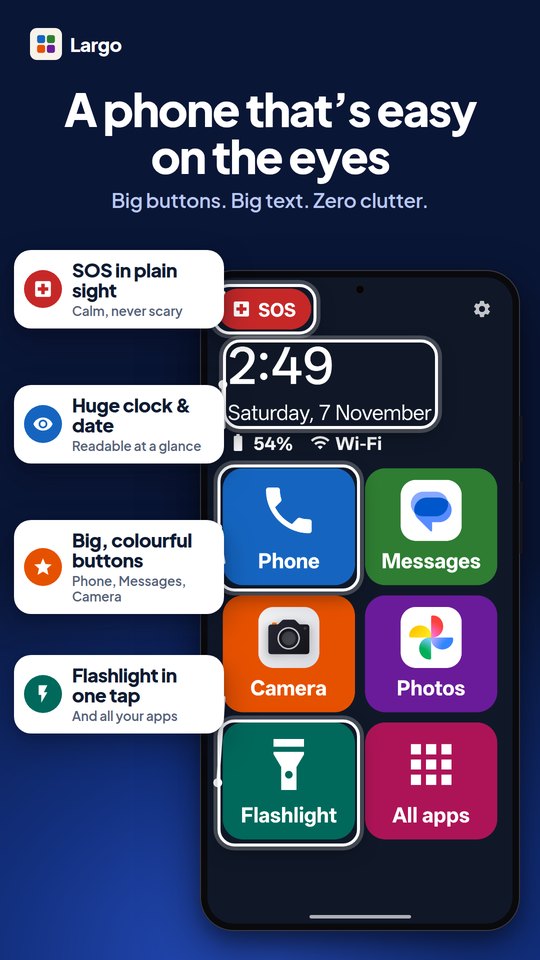
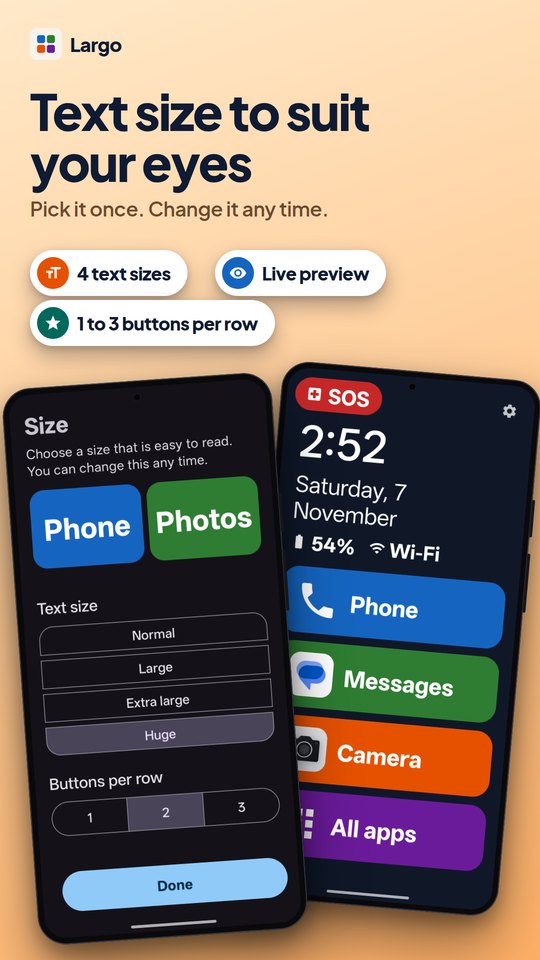
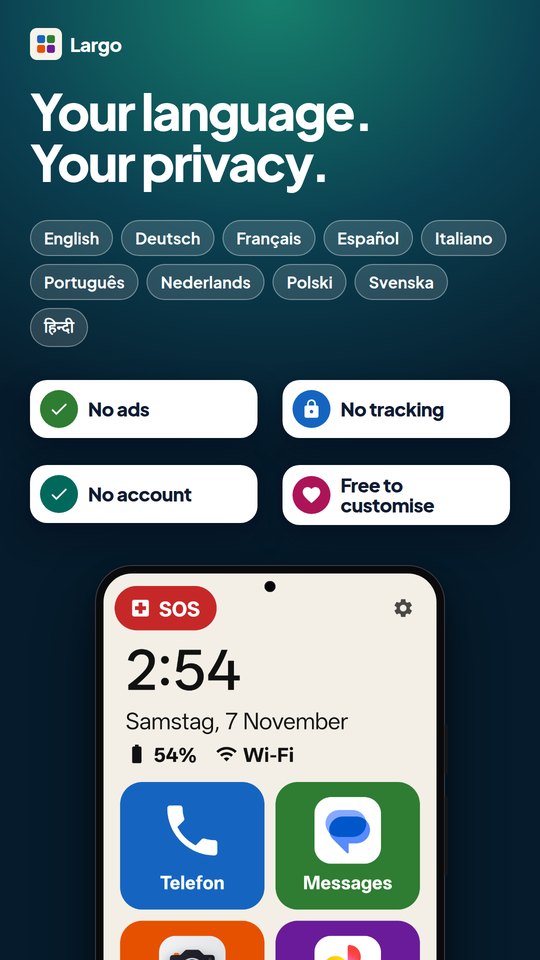
Four text sizes with a live preview, a huge clock and date, and big colourful buttons.
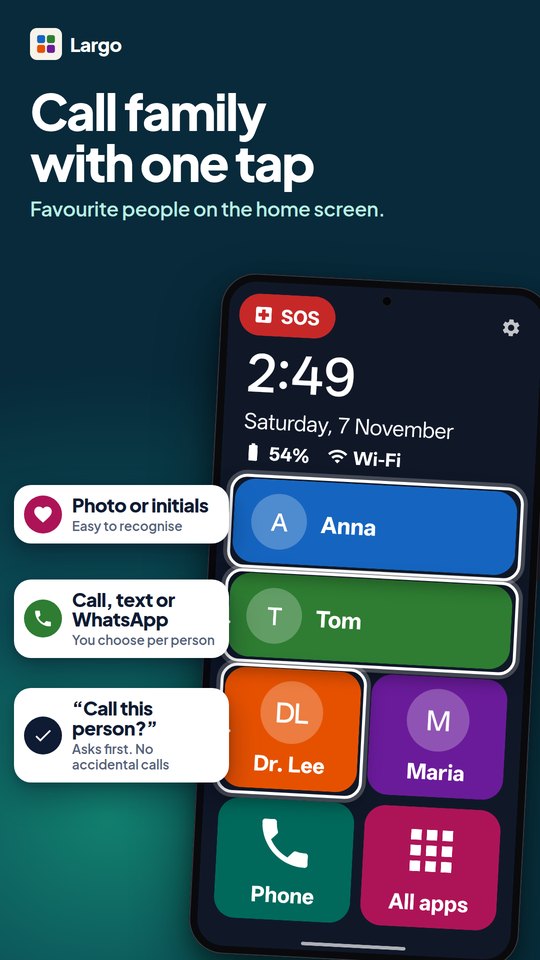
Favourite people with a photo. Tap to call, text or open WhatsApp. It asks “Call this person?” first.
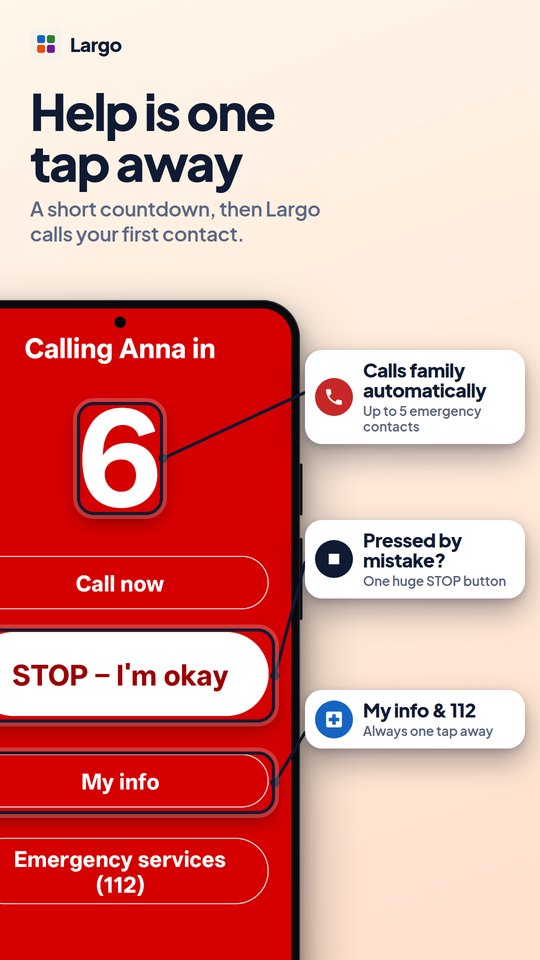
A short countdown, then it calls your first emergency contact. One huge STOP button cancels it.
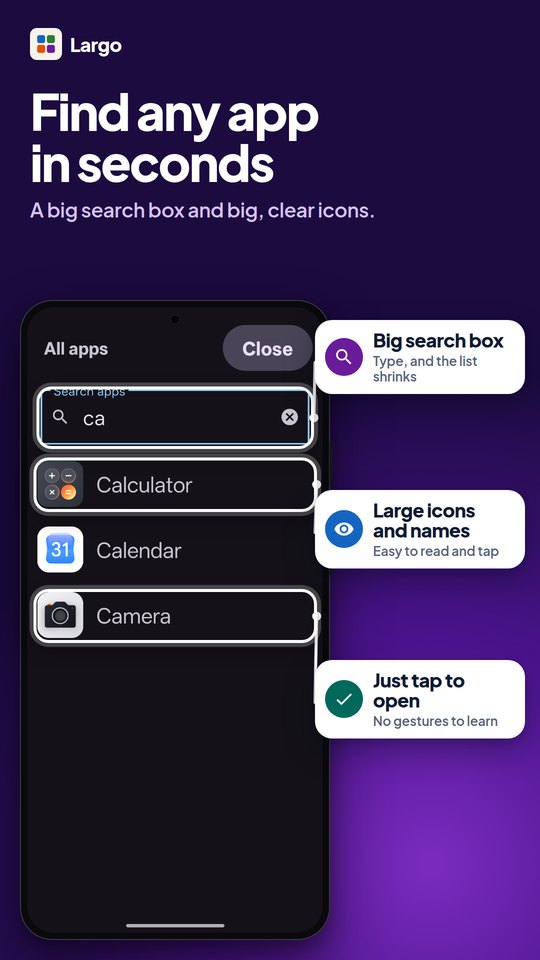
A big search box and a scrollbar you can actually see.
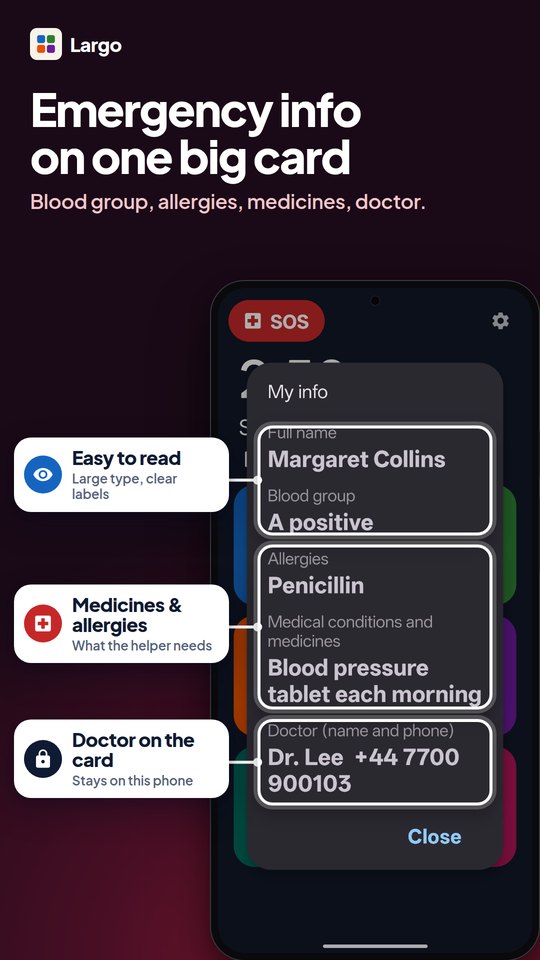
Blood group, allergies, medicines and doctor on one large card. It stays on the phone.
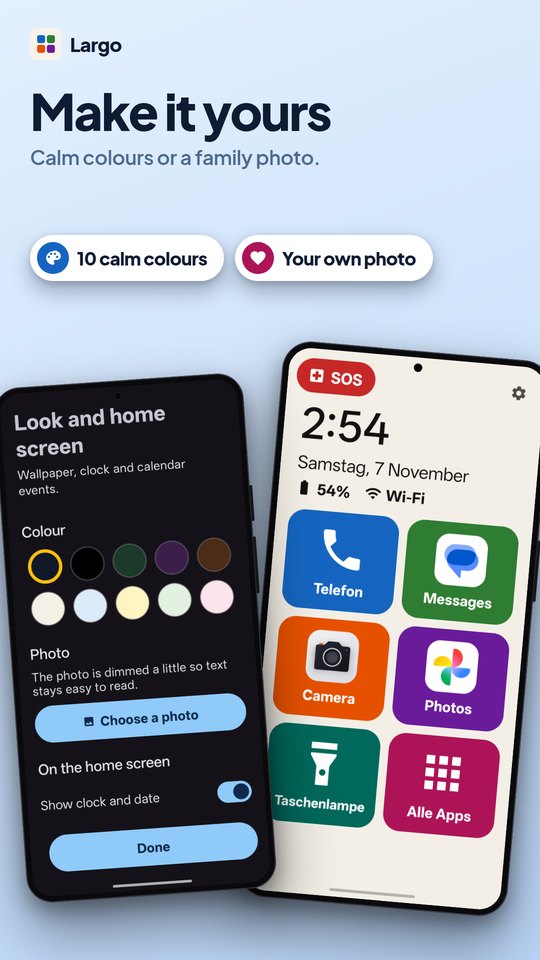
Calm wallpaper colours or a family photo. Flashlight and volume tiles. Ten languages.
Friends and family usually do the setup. It takes a few minutes.
Get it from Google Play on their phone.
Pick the buttons, add favourite people, and choose a text size.
Choose who is called. Optional: fill in My info.
Tap one button, then choose “Always”. You can switch back any time.
Largo never collects your data. There is nothing to sign in to and nothing to send.
Coming soon to Google Play. Works on Android 6.0 and newer, including older, slower phones.
No. All features are free. We may offer an optional Largo Plus in the future for extras such as setting up a parent’s phone remotely. Core features will stay free, and there will be no ads.
No. Largo has no account, no ads, no analytics and no servers. Everything is stored on the phone.
Yes. Open Largo’s Settings and tap “Switch to another launcher”, or change it in Android Settings → Apps → Default apps → Home app.
SOS calls the person you choose, and there is also a button for the local emergency number (112). Largo is a helper, not a medical alarm service. Always dial your local emergency number in a life-threatening emergency.
Phone permission lets one tap place a call. Calendar permission is optional and only shows your coming events. Without them, Largo still works: the dialer opens with the number filled in.
English, Deutsch, Français, Español, Italiano, Português, Nederlands, Polski, Svenska and हिन्दी.